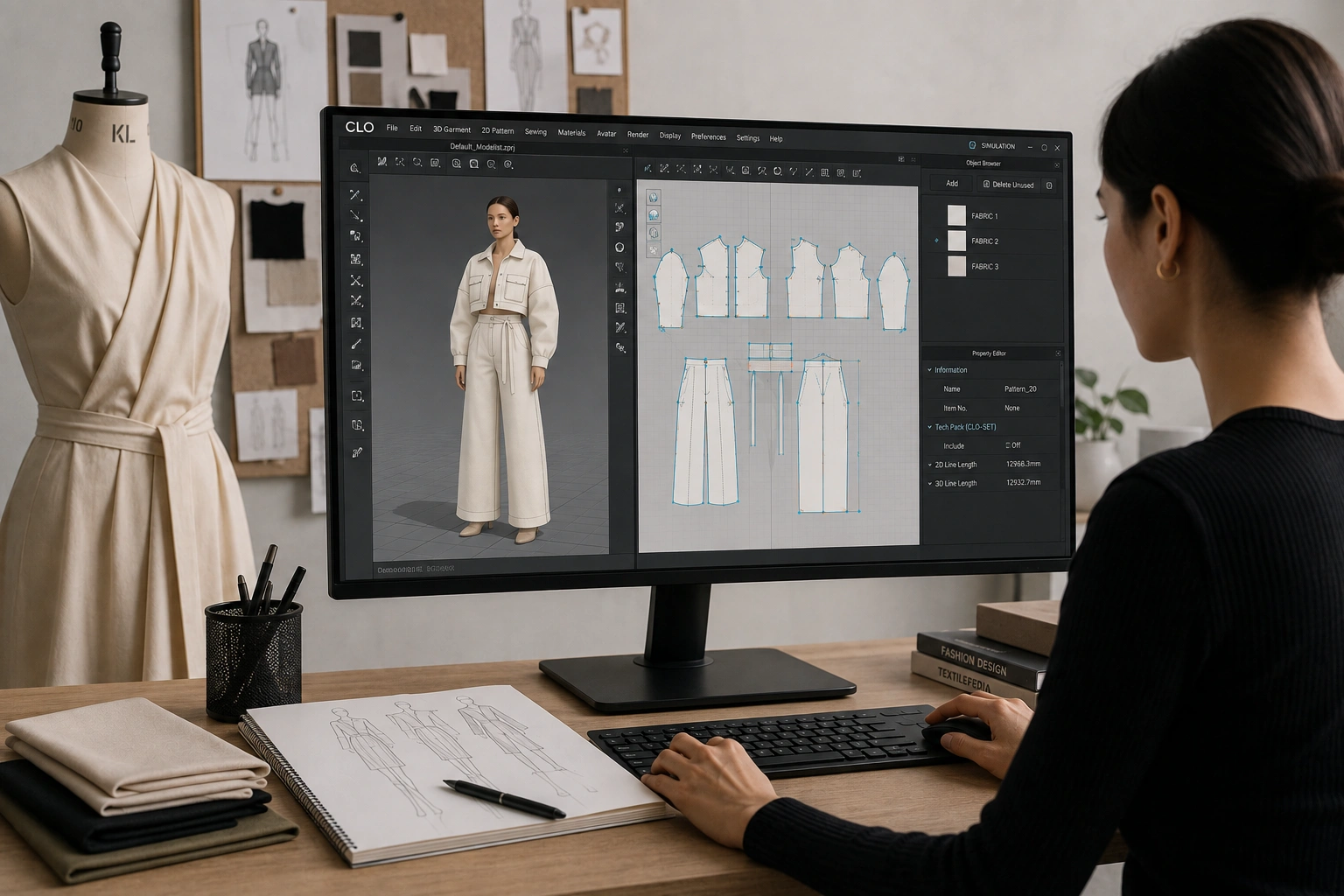
The way garments are designed, sampled and approved has shifted significantly over the past decade, and much of that shift has been driven by 3D simulation tools. CLO 3D software sits at the centre of this change, allowing designers to build, fit and visualise a garment digitally before a single metre of fabric is cut. For students and working designers alike, it has moved from being a specialist add-on to a skill that appears regularly in job descriptions. This guide explains what the software does, what it costs, how it compares with Marvelous Designer, and why it is worth learning.
What Is CLO 3D Software?
CLO 3D software is a 3D fashion design software built for the apparel industry. It works by combining a 2D pattern window with a 3D simulation window: a designer drafts or imports flat pattern pieces, sews them virtually, and the software drapes them on a digital avatar in real time. Fabric properties such as weight, stretch and thickness can be adjusted so the simulated garment behaves the way the real material would. Because the two windows are linked, any change made to a pattern piece updates the 3D garment immediately, which is what makes the tool useful for iteration rather than just presentation.
The software is developed by CLO Virtual Fashion and is used across design studios, export houses, sourcing offices and retail brands. Its output is not limited to images. Designers can export production-ready pattern files, generate tech packs, and share fitted samples with manufacturers and merchandisers for review.
Why Digital Fashion Design Is Changing the Designer's Role
Traditional sampling is slow and expensive. A single style may go through three or four physical samples before it is approved, each one involving fabric, labour, courier costs and days of waiting. Digital fashion design compresses that cycle by moving most of the fitting and correction work onto the screen, so only the final version needs to be stitched physically.
This changes what a designer is expected to contribute. Instead of handing over a sketch and waiting for a sample, the designer delivers a fitted digital garment along with the pattern behind it. That requires an understanding of construction, not just illustration, and it places designers closer to the technical side of product development. For students entering the industry, this is the practical argument for learning the software early: it broadens the type of roles they can apply for.
What CLO 3D Software Lets You Do
- Draft, import and edit 2D patterns with live 3D simulation of the result
- Adjust avatar measurements and poses to check fit across different body types
- Apply and test fabric properties, prints, trims, topstitching and hardware
- Grade patterns across a size range and prepare files for manufacturing
- Generate tech packs, line sheets and rendered images for buyers and clients
CLO 3D Software Price and Licence Options
CLO 3D software price depends on whether the licence is for an individual, a business or an academic institution. Individual plans are subscription based, with published rates commonly reported at around USD 50 per month or roughly USD 225 for a yearly plan, which works out substantially cheaper per month. A free trial is available for users who want to test the interface before committing, and students enrolled in a recognised programme can typically claim a discount of up to 50% on the individual plan.
Business and academic licences are quotation based rather than publicly listed, since they are priced according to the number of seats and the level of support required. Prices are set in US dollars and are subject to taxes and currency conversion, so the rupee figure for Indian users will vary.
The table below summarises the typical licence types, who they suit, and approximate cost.
| Licence Type | Best Suited For | Approximate Cost |
|---|---|---|
| Free Trial | Students and first-time users | No cost (limited period) |
| Individual – Monthly | Freelancers, hobbyists, one-person studios | Around USD 50 per month |
| Individual – Yearly | Regular users wanting lower cost per month | Around USD 225 per year |
| Student Licence | Enrolled design students | Up to 50% off the individual plan |
| Business / Academic | Brands, manufacturers, institutes | Quotation based |
CLO 3D vs Marvelous Designer: Which One Should You Learn?
The CLO 3D vs Marvelous Designer question comes up often, largely because both products are made by the same company and share the same cloth simulation engine. The renders can look almost identical. The difference lies in who each one is built for. Marvelous Designer is aimed at computer graphics, gaming, film and animation, with tools for sculpting, retopology and UV editing that character artists need. CLO is built for the fashion and apparel pipeline, with features that support the stages a garment passes through on its way to production.
The most practical distinction is file output. CLO supports import and export of DXF-AAMA and DXF-ASTM pattern files, which means a pattern created in CLO can be sent to a manufacturer and cut. It also includes avatar size adjustment, print layout and marker tools, grading and tech pack generation, none of which are central to Marvelous Designer. Marvelous Designer is generally the less expensive of the two, which is part of its appeal, but the saving comes at the cost of production features.
For a fashion designer whose end goal is a physical garment or a manufacturing handover, CLO is the more relevant tool. For someone creating digital garments purely for screens, Marvelous Designer is usually sufficient. Skills transfer reasonably well between the two, so learning one makes the other easier to pick up later.
Career Scope for Designers Who Know CLO 3D Software
Designers with 3D skills are being recruited into roles that did not exist a decade ago, including 3D Fashion Designer, Digital Product Creation Specialist, Virtual Sampling Executive and 3D Technical Designer. Existing roles have also absorbed the skill, so pattern makers, technical designers and merchandisers are increasingly expected to read and work with 3D files even if they do not build them from scratch.
India's position as a large apparel manufacturing and sourcing base makes this particularly relevant. Export houses and buying offices working with international brands often receive 3D files as part of the tech pack, and need staff who can interpret and respond to them. Students completing a fashion design course with 3D exposure are therefore entering a market where the skill has a direct commercial use rather than being decorative.
How to Start Learning CLO 3D Software
The learning curve is manageable but not trivial, and it is easier for people who already understand pattern making. Because the software simulates real construction, a designer who knows how a sleeve is set or how a dart shapes fabric will progress faster than one relying purely on visual instinct. Starting with basic garments such as a t-shirt or a straight skirt, then moving to shirts, trousers and tailored pieces, is the usual progression.
Free resources include the official tutorials, the CLO manual and community forums, and there is a substantial amount of instructional material available online. Structured learning through a design institute tends to be faster for beginners, since the software is taught alongside pattern making and garment construction rather than in isolation. A reasonable target is to be able to build, fit and present a small collection digitally within a few months of consistent practice.
Is It Worth the Investment?
For a student weighing the subscription cost against the benefit, the calculation usually comes down to portfolio value and employability. A portfolio containing fitted 3D garments, exportable patterns and clean renders demonstrates technical understanding in a way that flat sketches do not, and it can be produced without the fabric and sampling costs a physical collection would require. Trial periods and student discounts also lower the barrier to entry considerably.
That said, the software is a tool rather than a substitute for design fundamentals. Designers who understand fabric behaviour, proportion and construction get far more out of it than those who treat it as a rendering program. Learned alongside a proper design education, it is one of the more useful additions a fashion designer can make to their skill set today.
Frequently Asked Questions
What is CLO 3D software used for?
CLO 3D software is used to design, simulate and fit garments digitally. Designers create 2D patterns, sew them virtually, and see the garment drape on a 3D avatar in real time. It is also used to produce tech packs, graded patterns and production-ready files for manufacturers.
How much does CLO 3D software cost?
CLO 3D software price for individual users is commonly reported at around USD 50 per month or roughly USD 225 per year, with a free trial available. Students can usually claim up to 50% off the individual plan, while business and academic licences are quotation based.
Is CLO 3D better than Marvelous Designer for fashion designers?
For fashion designers, CLO is generally the better fit. It supports DXF pattern export, grading, print layouts and tech pack generation, which are needed for real production. Marvelous Designer shares the same simulation engine but is aimed at gaming, film and animation work.
Do I need pattern making knowledge to learn CLO 3D?
It is not mandatory, but it helps considerably. Since the software simulates actual garment construction, designers who understand patterns, seams and fabric behaviour learn faster and produce more accurate results than those approaching it purely as a visualisation tool.
Can beginners learn CLO 3D software on their own?
Yes, official tutorials, manuals and community forums make self-learning possible. However, most beginners progress faster through a structured course where the software is taught alongside pattern making and garment construction, since the two skills reinforce each other.